

Back to Help Center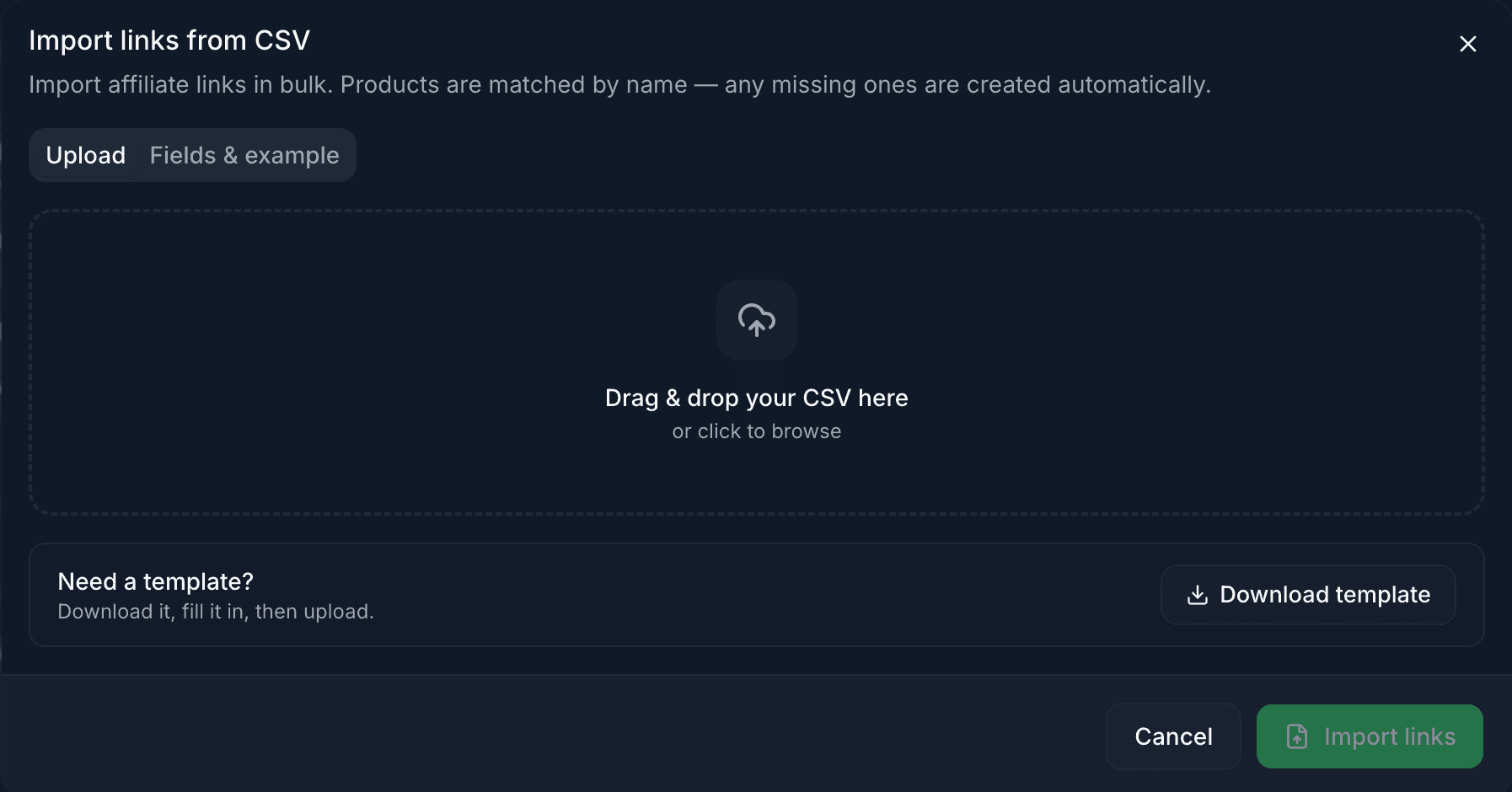
Import & export links
Move link data in and out of AffProf using CSV files. This is useful for migrations, bulk updates, UTM changes, backups, and reports.
Bulk CSV import is a Pro feature. Export is available on all plans, including Free.
- Migrating from another shortener or spreadsheet.
- Updating destination URLs across many links at once.
- Adding UTM parameters to a batch of existing links.
- Backing up your link library before major changes.
- Sharing your link list with a teammate or in a report.
Import: starting fresh or migrating
Use import when you want to add bulk content to AffProf.
- 1Go to Links and click Import CSV in the top toolbar.
- 2Drag a CSV into the dropzone or browse for one on your computer.
- 3If this is your first import, click Download template.
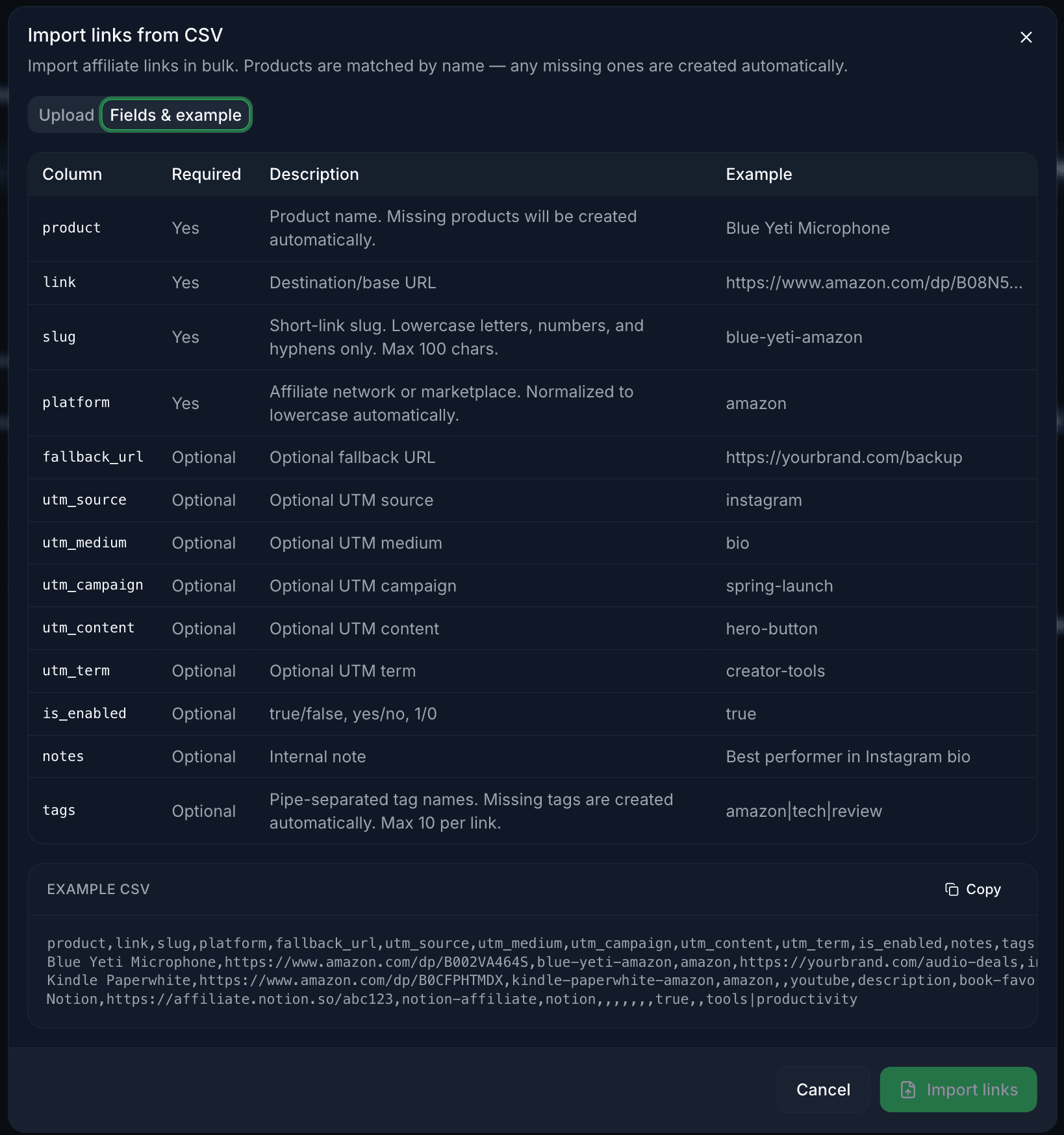
- 4Use the Fields & example tab to see every accepted column.
Upload, preview, and fix issues
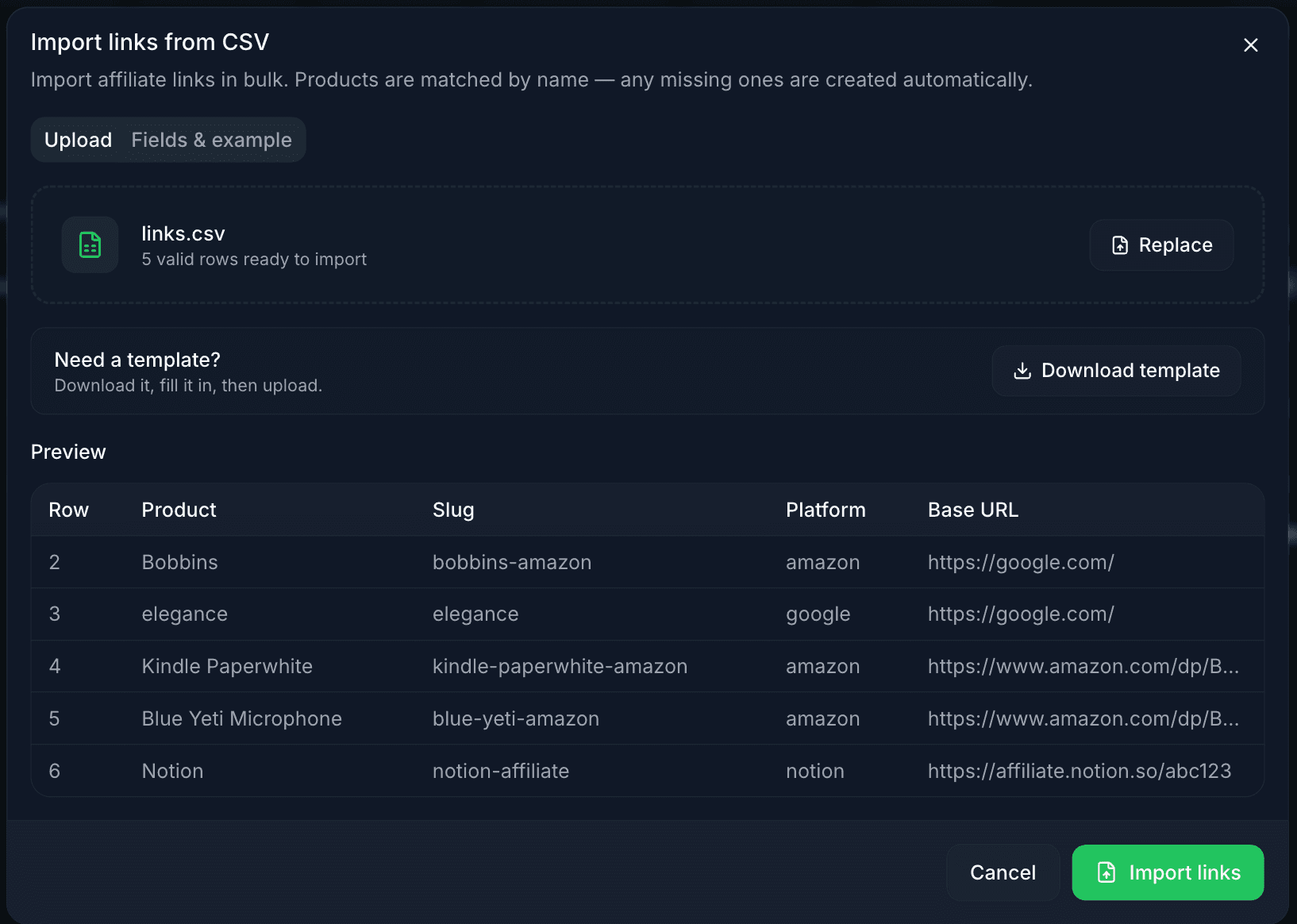
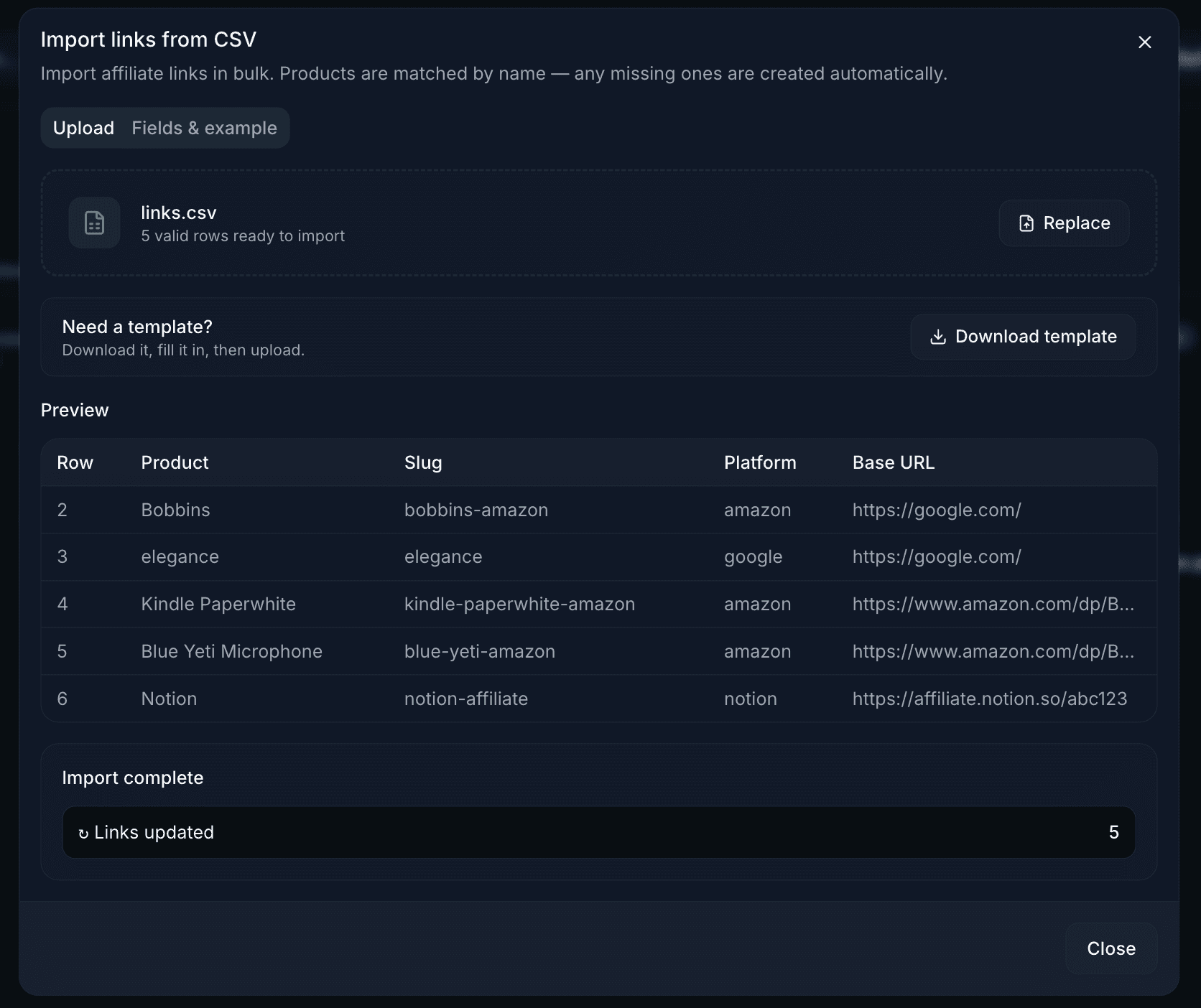
AffProf previews valid rows and shows exactly what needs fixing.
- You see the total number of valid rows ready to import.
- A preview table shows the first rows for spot-checking.
- Row numbers match the original CSV.
- Use Replace if the file looks wrong.
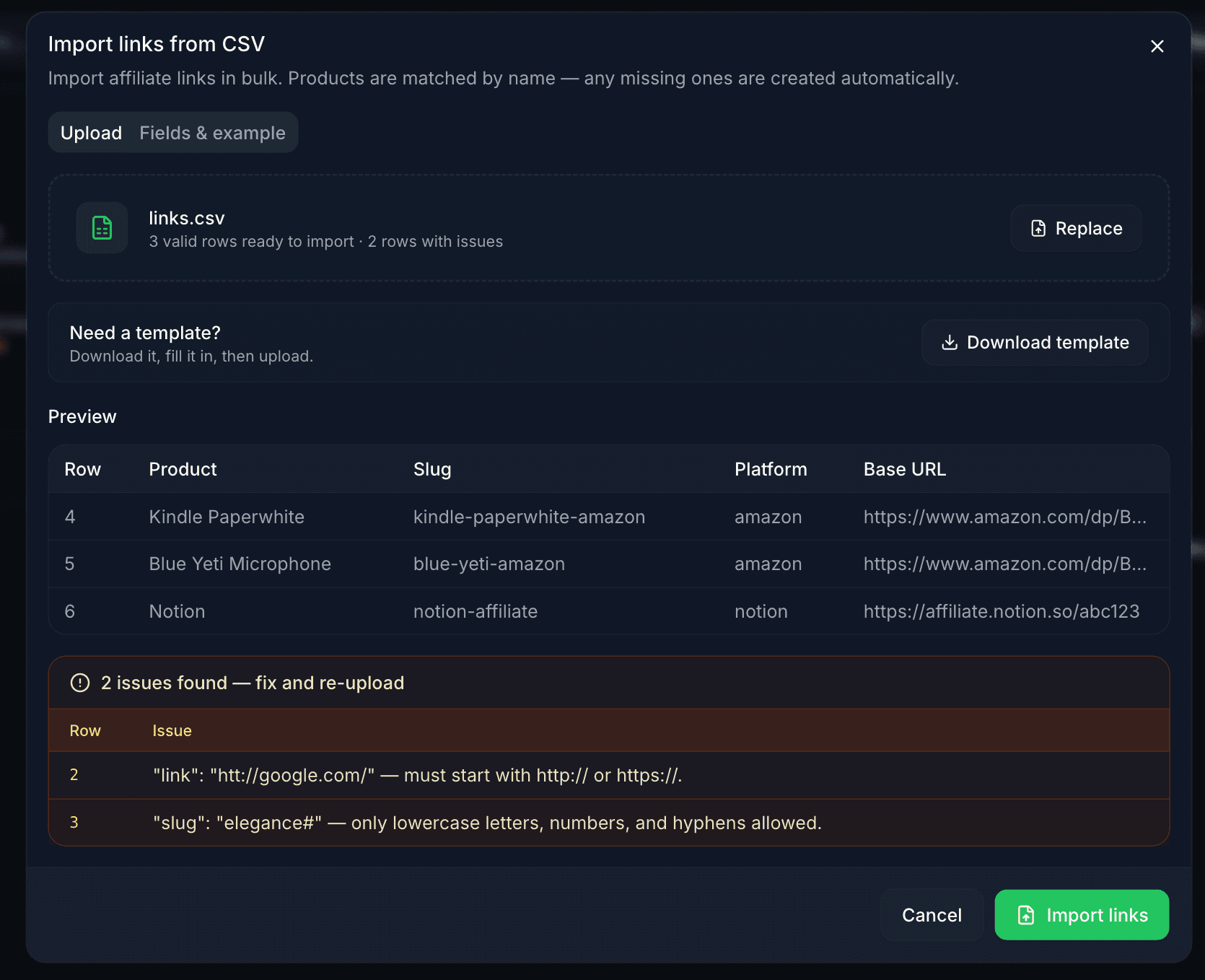
- Invalid URL: must start with
http://orhttps://. - Invalid slug: only lowercase letters, numbers, and hyphens.
- Missing required field:
product,link,slug, orplatformis empty. - Slug conflict: slug already exists or appears twice in the CSV.
- Slug too long: max 100 characters.
You can import valid rows now and fix the rest later, or fix everything first and click Replace to upload the corrected CSV.
Confirm import
When all rows look good, click **Import links**.
AffProf processes the batch and shows how many links were created or updated. Close the dialog and your links appear immediately in the Links table.
How updates work
For each CSV row, AffProf checks whether a link with that slug already exists in your account.
- If yes, AffProf updates that link with the new CSV values. Everything except the slug itself can change.
- If no, AffProf creates a new link.
- The slug is the identity of a link. To rename a slug safely, export, change the slug, import as a new link, then delete the old one.
Common questions
If I delete a link, will it come back if I re-upload my old CSV?
Yes. Import creates new links for any slug not currently in your account, with no previous analytics history.
Can I delete links via CSV?
No. Deletion must be done through the UI for safety. CSV import only creates and updates.
What happens if I change the slug in my CSV?
AffProf treats it as a new link. The old link with the old slug stays unchanged.
Can I use export to back up links before a big change?
Yes. Export before bulk changes so you can restore most fields later if needed.
Why does export not include analytics?
Click data is large and changes often. Use Dashboard or per-link analytics for current analytics.
Can I schedule recurring exports?
Not currently. Each export is manual. Tell us at hello@affprof.com if scheduled exports matter to your workflow.
Need help with a specific CSV?
Email hello@affprof.com with your file attached and a description of what you are trying to do. We respond within 24 hours, faster for Pro users.